API Reference
The API is your fast track to integrating with our system: create official and test lines, upgrade lines, and manage subscriptions efficiently. From the dashboard you can obtain your dedicated API token, which lets you securely manage subscriptions, optimise the experience and dynamically control every line. Whether for testing or production, the API provides a convenient integration path and keeps the system running smoothly — adjust line configurations in real time and streamline subscription management to greatly boost operational efficiency.
Timezone
All times on this site are in UTC (Greenwich Mean Time).
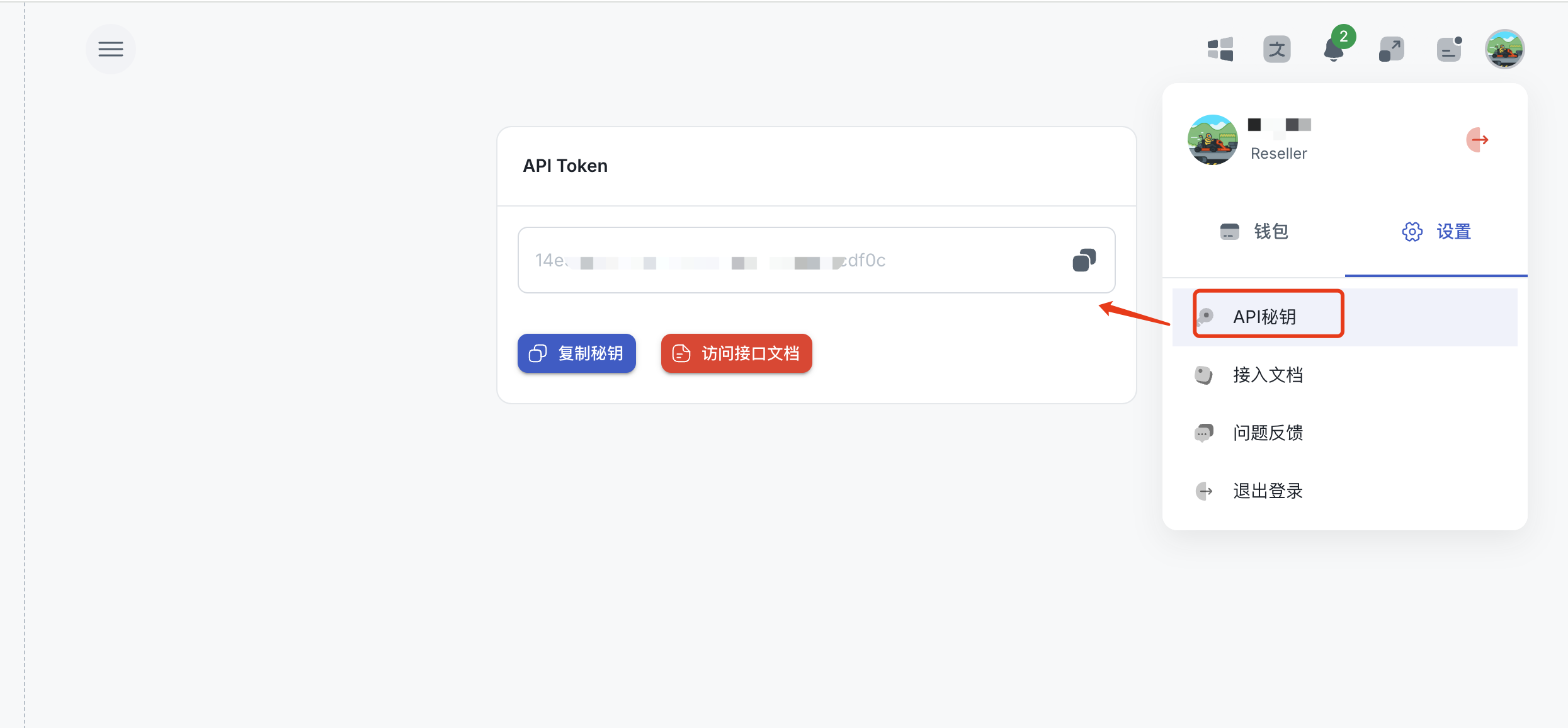
Get API Token
Log in → Click avatar → Settings → API Key → Copy
API Request
Include your token in the request header for authentication. The token is also used for authorization.
1<?php
2$url = "https://api.example.com/endpoint";
3
4$token = "YOUR_API_TOKEN";
5$headers = [
6    "token: $token",
7    "Content-Type: application/json"
8];
9
10$data = [
11    "params1" => "value1",
12    "params2" => "value2"
13];
14
15$ch = curl_init();
16
17curl_setopt($ch, CURLOPT_URL, $url);
18curl_setopt($ch, CURLOPT_RETURNTRANSFER, true);
19curl_setopt($ch, CURLOPT_HTTPHEADER, $headers);
20curl_setopt($ch, CURLOPT_POST, true);
21curl_setopt($ch, CURLOPT_POSTFIELDS, json_encode($data));
22
23$response = curl_exec($ch);
24
25if (curl_errno($ch)) {
26    echo "cURL Error: " . curl_error($ch);
27} else {
28    echo "Response: " . $response;
29}
30
31curl_close($ch);